
Keep Your Account Secure in Just a Few Clicks
Your Mahfil Studio account holds your content, your brand, and your audience — so keeping it secure is essential.
Whether you’re updating your password for security reasons or simply want a fresh start, changing your password is quick and easy.
Here’s a step-by-step guide to help you do it safely and smoothly.
Step-by-Step to Change Your Password
Step 1: Log in to Mahfil
Visit 👉 studio.mahfil.net
Log in using your email and current password.
Step 2: Access “My Account”
- Once logged in, go to the top-right corner of your screen
- Click on your profile logo
- From the dropdown menu, select “My Account”
Step 3: Select “Change Password”
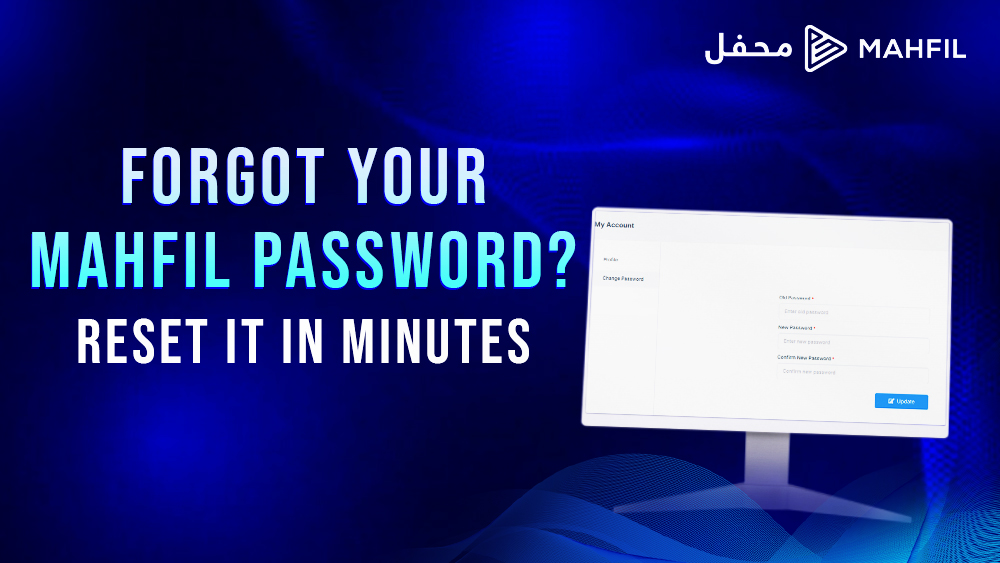
In the “My Account” section, you’ll see the Change Password option.
Click to proceed.
Step 4: Enter Your Password Details
You’ll now see a simple form:
- Old Password – Enter your current password
- New Password – Create a new password
- Confirm New Password – Re-enter the new password to confirm
Tip: Use a strong password with a mix of letters, numbers, and symbols for better security.
Step 5: Update & Confirm
Once you’ve entered everything correctly:
- Click the “Update” button
- A confirmation prompt will appear
- Click “Yes, Change It” to finalize
That’s it – your password has now been successfully updated!
Why Update Your Password?
- To keep your account secure
- After suspicious activity or sharing devices
- As part of good account hygiene
We recommend changing your password every few months to protect your content and channel.
Works on Both Desktop & Mobile
This process is the same whether you’re using Mahfil Studio on your computer or smartphone, so you can manage your account securely from anywhere.
Your Mahfil account is your voice – protect it well.
Taking a few seconds to update your password keeps your content and identity safe on the platform.
Need more help with account settings?
Visit the Mahfil Support Center or check out our Security Tips for Publishers.
Stay safe. Stay creative.